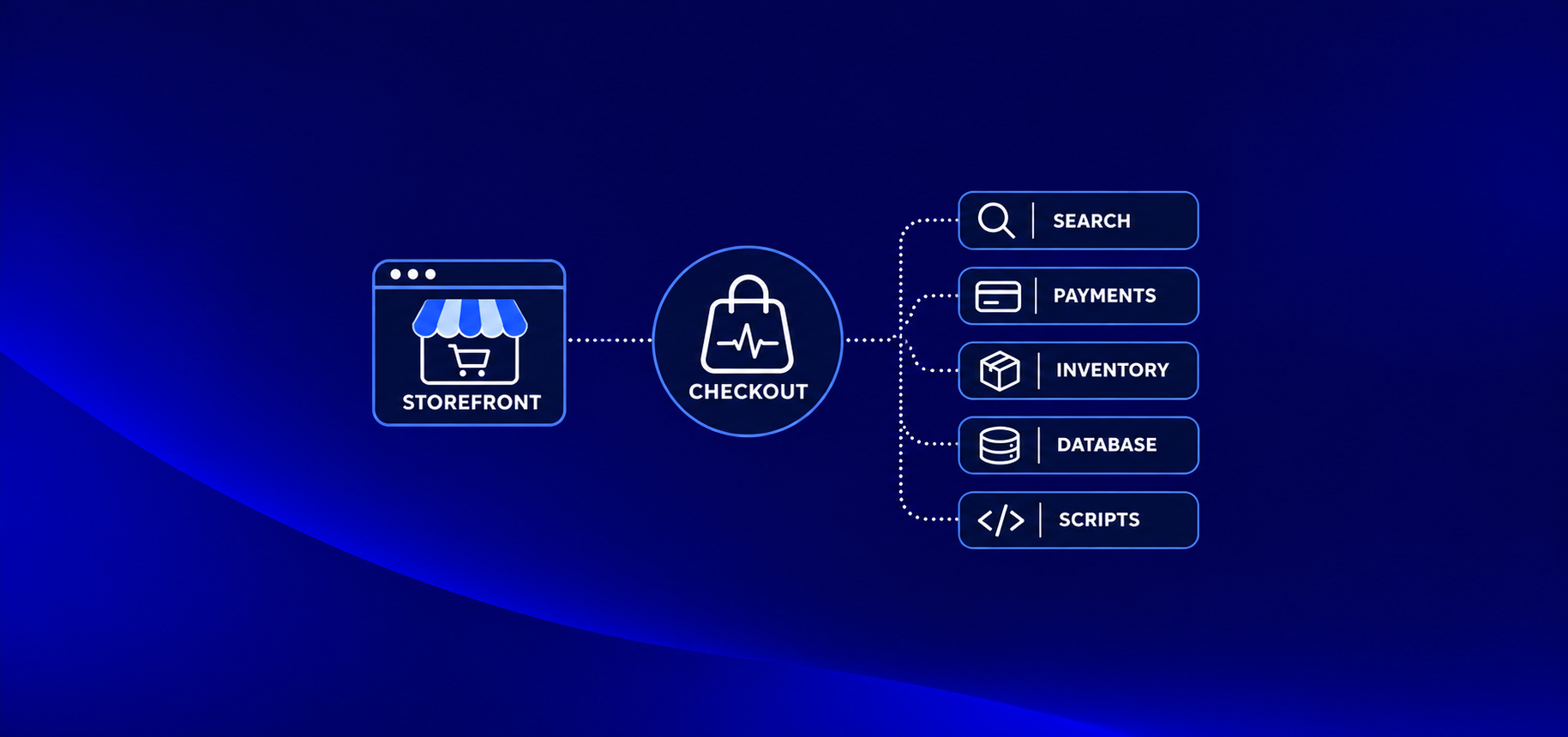
During Black Friday, the storefront is rarely the first thing to fail. The trouble often starts behind it: search, payment dependencies, inventory updates, database connections or third-party scripts. Which one breaks first depends on your architecture and traffic pattern, but the result can be the same: shoppers reach the sale and cannot complete an order.
A brief checkout outage during the busiest minutes can put more revenue at risk than a week of ordinary downtime. The practical question is not whether every system can scale in theory; it is whether your critical buying path has been tested under realistic peak load, with clear signals and a safe recovery plan.
Why does Search Slow down before Anything else?
Search can become the first visible bottleneck when a traffic spike combines with expensive filtered queries, aggregations, cache misses or a search index that cannot keep up with catalog changes. The symptoms are often rising search latency and timeouts while product pages and the homepage still appear available.
Search traffic is especially variable during a promotion. Shoppers refine queries by size, color, brand, price and availability, producing many query combinations that may not be cached. Aggregations that are inexpensive at normal volume can consume substantial CPU and memory when repeated at peak. Reindexing, synonym updates or catalog imports can add load at the worst time.
Before peak, profile the top search queries and filters, inspect slow-query logs, and test realistic combinations at expected concurrency. Track p95 and p99 search latency, timeout rate, cache hit rate, rejected requests, and indexing lag. Check whether search can degrade gracefully, for example, by returning popular products or a simpler result set rather than blocking the entire shopping journey.
Exper Labs’ public work includes stabilizing a high-traffic Elasticsearch cluster while reducing it from 12 nodes to 3 and monthly infrastructure spend from $5,000 to $850.
Can your Checkout Survive a slow Payment Gateway?
Checkout should remain controlled when a payment provider slows down: set bounded timeouts, limit retries, use idempotency keys to prevent duplicate charges, and define a tested fallback provider where your payment setup allows it. Without these controls, one slow dependency can hold connections open, multiply requests and leave shoppers unsure whether they were charged.
An idempotency key is a unique identifier attached to a payment attempt so that repeating the same request does not create a second charge. Retries should be deliberate: retry only failures that may be transient, use backoff, and stop within a defined time budget. Do not blindly retry a request whose outcome is unknown; first reconcile its status with the provider.
Test payment timeouts and provider errors in a safe environment. Measure checkout success rate, payment authorization latency, declined versus timed-out attempts, duplicate-order rate, and the time required to reconcile uncertain transactions. Make sure customer support has a message for pending payments and a process for verifying order and charge status.
Is your Inventory Sync fast enough to stop Overselling?
Inventory can become inaccurate when stock updates lag between the ERP, order management system (OMS), warehouse and storefront. A product page may show stock that has already been sold elsewhere, so teams need to measure synchronization lag and decide when inventory is reserved: at cart creation, checkout start or payment authorization.
Each reservation point trades availability against customer experience. Reserving too early can lock stock in abandoned carts; reserving too late can allow multiple shoppers to pay for the final unit. Document the rule for each product type, including bundles, preorders and items with stock in multiple warehouses.
Track event or queue lag between systems, inventory reconciliation differences, reservation conflicts, reservation expiry, and oversell rate. Test delayed, duplicated and out-of-order updates, not only the happy path. Provide an operational process to pause a promotion or hide affected SKUs if inventory confidence falls below an agreed threshold.
Will your Database Connection pool run out?
Connection pools can exhaust when requests arrive faster than the database can finish them, especially if slow queries hold connections open. A read replica may help with read-heavy workloads, but it will not fix an overloaded primary, write contention or inefficient queries by itself.
At peak, look beyond database CPU. Monitor active and waiting connections, pool saturation, connection acquisition time, query duration, lock waits, replication lag and error rates. Identify endpoints that fan out into many queries, and review query plans for high-volume catalog, cart, promotion and order operations.
Load-test with realistic mixes of reads and writes, including checkout and order placement. Check that application pools have sensible limits across all running instances; autoscaling the application can multiply total database connections and make exhaustion happen sooner. Set thresholds and a response plan before the event, such as shedding nonessential reads or temporarily reducing expensive functionality.
Which Third-Party Scripts can take your Site Down?
Tag managers, chat widgets, review tools, personalization and analytics can slow rendering or interfere with checkout when they load synchronously or fail badly. Load nonessential scripts asynchronously, isolate them where possible, and maintain a tested way to disable them without deploying new code.
Inventory every external script and identify its owner, business purpose, pages where it runs and removal method. Measure its effect on page responsiveness and checkout completion on mobile devices as well as desktop. A script that is harmless on the homepage may block a payment or address form deeper in the flow.
Verify feature flags and kill switches before the sale. Practice turning off one script at a time and confirm that the core purchase path still works. Keep consent and privacy requirements in view when changing how tracking tools load.
Will your Discount Codes and Promo Logic Break?
Promotion failures often come from unexpected combinations: stacking rules, eligibility checks, limited-use counters, time windows and concurrent redemptions. A promo service called on every cart update can also become a hot dependency under load.
Test the combinations customers can actually create, including coupon stacking, sale-price interactions, bundles, loyalty benefits, shipping thresholds, returns and currency rounding. Exercise the final minutes of a promotion, when many shoppers may redeem the same limited offer simultaneously. Confirm whether the system accepts, rejects or queues requests consistently.
Monitor promotion evaluation latency, error rate, redemption counts, rejected-code reasons and price mismatches between cart and order. Rate-limit abusive attempts, protect code-sharing campaigns from unintended mass use, and define a manual override that support and operations can use safely.
Is your Autoscaling actually Tested?
Autoscaling only helps when capacity can start quickly enough, scaling limits are high enough and dependencies have room to grow too. Cold starts, container startup time, quota ceilings, IP limits or an untested maximum can prevent a scaling policy from responding before shoppers see errors.
Run a load test that observes scaling from baseline through the expected peak and back down. Record time to add healthy capacity, queue depth while scaling, resource saturation and cost. Check cloud quotas for compute, database, network, load balancers and managed services, and request increases early enough for approval.
For predictable sale windows, consider pre-warming or scheduled capacity where appropriate. Set ceilings and rollback steps so a runaway scale-out does not create a second incident. Validate autoscaling in an environment that resembles production; a policy tested only in a small staging environment may not behave the same way.
Will you know it’s broken before Customers tell you?
Infrastructure dashboards alone are not enough: CPU can look normal while orders fail. Alert on customer and business outcomes, checkout success rate, orders per minute, payment latency, search errors and inventory lag alongside service health, logs and traces.
Define a small set of alerts with an owner, threshold and response action. Compare order volume and checkout completion with expected traffic patterns, and alert on sudden deviations rather than relying only on static CPU thresholds. Trace a sample transaction across storefront, cart, promotion, payment, inventory and order services so responders can locate the failing dependency quickly.
Prepare dashboards for engineering, ecommerce operations and customer support. Agree who can pause a promotion, disable a third-party script, roll back a release or switch a payment route. Exper Labs’ Cloud & Infrastructure service covers monitoring, alerts, logs, dashboards, tracing and incident runbooks; its peak-season SFCC case study describes observability built across services as part of the platform work.
Black Friday Ecommerce Readiness Checklist
Use this checklist as a working document: assign an owner and record a pass/fail result for each item. Define “peak” from your own traffic and order history; a traffic multiplier alone is not a workload model.
T-minus 3 weeks
- Model last year’s traffic shape: requests per second, concurrent sessions, orders per minute, channel mix and promotion timing.
- Load-test at 3–5x last year’s peak only if that range matches your growth forecast and platform risk. Include a short spike and a sustained peak, with search, cart, payment, inventory and promotions represented.
- Capture p95/p99 latency, error rate, checkout success, database pool saturation, queue lag and scaling time; agree pass/fail thresholds before testing.
- Review the code-freeze plan, exceptions process and rollback steps with engineering and ecommerce owners.
- Check cloud and vendor quotas, payment limits, search capacity, API rate limits and database connection ceilings; request increases now.
- Save the test results, bottlenecks, owners and fixes in one place.
T-minus 1 week
- Verify feature flags, third-party script kill switches and promotion pause controls in a production-like environment.
- Confirm runbooks for payment degradation, inventory lag, search outage, database saturation and rollback.
- Set the on-call rota, escalation contacts and decision-maker for pausing campaigns or changing customer-facing behavior.
- Confirm dashboards and alerts show orders per minute, checkout success, payment latency, search health, inventory lag and key infrastructure signals.
- Check customer-support macros and the process for handling pending charges, delayed orders and out-of-stock corrections.
Peak days
- Open a staffed war room with engineering, ecommerce operations and customer support represented.
- Watch business and technical dashboards against agreed thresholds; record significant changes and decisions.
- Use the incident rules: who can pause a campaign, disable a dependency, roll back a release or divert traffic, and when.
- Keep a clear update channel for support and business stakeholders; communicate verified impact and next update time.
- Avoid unplanned changes unless they reduce a current risk and have a rollback path.
After peak
- Review incidents, near misses, customer reports and support contacts while the details are fresh.
- Compare actual load and capacity with the forecast; save test data, dashboards and scaling behavior for next year.
- Track follow-up actions with owners and dates, including vendor or quota changes that need longer lead time.
- Update the runbooks and load-test model before the next campaign.
Black Friday readiness is a systems problem, but the review does not need to take a quarter. A focused one-week assessment can map the buying path, inspect capacity and dependencies, and prioritize the risks that are still fixable before peak. If your team needs an independent review or a realistic load-testing engagement, talk with Exper Labs about cloud infrastructure and observability.
FAQs
How much traffic should we load-test for?
Start with last year’s peak traffic and order rate, then adjust for expected growth, campaign reach and channel mix. Test both a short burst and a sustained peak; choose a multiplier such as 3–5x only when it represents a plausible stress scenario for your business.
When should we start a code freeze?
Set the freeze date based on how long your team needs to validate, roll back and stabilize a release before peak. Agree on the date and exception process several weeks ahead, and reserve changes during the freeze for urgent fixes with clear owners and rollback plans.
What should we monitor during a peak sale?
Monitor checkout success, orders per minute, payment latency and errors, search latency and errors, inventory synchronization lag, database pool saturation, queue depth and service availability. Tie each alert to an owner and an action so the team can respond quickly.
Does autoscaling guarantee the site will handle a traffic spike?
No. Autoscaling depends on startup time, configured limits, available cloud quotas and capacity in downstream systems such as databases, search and payment services. Test the complete path under load and pre-warm capacity when scaling speed is too slow for the expected traffic jump.
Should we disable analytics and other third-party scripts during Black Friday?
Decide based on their business value and measured impact. Load nonessential scripts asynchronously, monitor their effect on the purchase flow, and verify a kill switch so the team can disable a problematic script if it starts delaying or breaking checkout.