Every AI demo looks production-ready. That’s the trap.
We’ve lost count of how many times a client has shown us a slick prototype; an agent that answers questions, calls a couple of APIs, pulls facts from a knowledge base and asked, “so we’re basically done, right?” The honest answer is almost always no. A demo has to work once, in a controlled setting, in front of people who already know what it’s supposed to do. A production agent has to work thousands of times a day, for users who ask it things you never anticipated, with real data that’s messier than your test set, and with real consequences when it gets something wrong.
This is the gap we spend most of our time closing at Exper Labs. Not the “can it work” question, every modern LLM can call a tool and retrieve a document. The real engineering is in the boring parts: what happens when the tool call fails, what happens when retrieval returns nothing useful, what happens when the model is 80% confident and wrong. This guide is our field-tested view on how to architect AI agents, specifically around tool-calling and RAG; so they hold up once real users and real money are on the line.
What “Production-Ready” Actually Means
A production-ready agent isn’t defined by how good it sounds in a conversation. It’s defined by whether it fails safely, predictably, and observably.
In practice, that means the system has to handle:
- Partial and failed tool calls: an API times out, returns malformed data, or is rate-limited mid-conversation.
- Ambiguous or adversarial input: users who phrase things in ways your test cases never covered, and some who are actively probing for weaknesses.
- Stale or missing knowledge: retrieval that returns nothing relevant, or worse, something confidently wrong.
- Cost and latency budgets: an agent that’s brilliant but takes 40 seconds and three model calls to answer “what’s my order status” won’t survive contact with real users.
- Auditability: someone, eventually, will ask “why did the agent do that,” and you need a real answer, not a shrug.
None of this shows up in a demo. All of it shows up in week three of production.
The Core Architecture
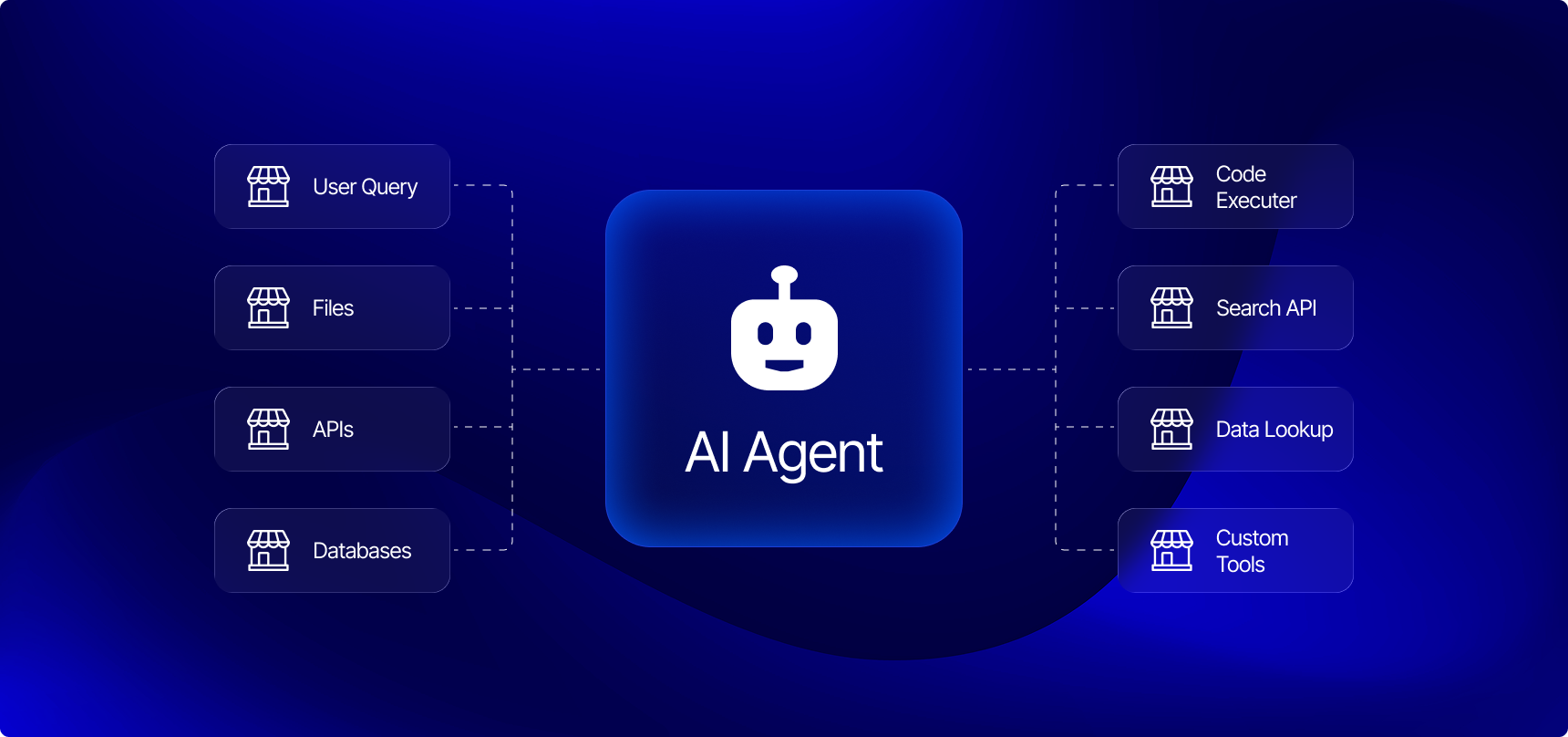
Strip away the framework-of-the-month branding, and every production agent we build is really the same handful of components wired together with discipline:
- Perception: how the agent receives input (chat, voice, event triggers, another system).
- Reasoning / orchestration: the control loop that decides what to do next: answer directly, call a tool, retrieve context, or ask a clarifying question.
- Memory: short-term conversational state plus longer-term context about the user, task, or account.
- Tools: the actions the agent can actually take in the world (query a database, place an order, send an email, trigger a workflow).
- Retrieval (RAG): the mechanism for grounding responses in your actual data instead of the model’s training memory.
- Deployment and observability infrastructure: the part nobody demos, and the part that determines whether you sleep through the night once it’s live.
The mistake we see most often is treating this as one big prompt. It isn’t. It’s a distributed system that happens to have a language model as one of its components; and it should be architected with the same rigor you’d apply to any other distributed system.
Tool-Calling: Give the Agent Boundaries, Not Just Instructions
Tool-calling is what turns a chatbot into an agent; the ability to decide, mid-reasoning, “I need to look this up” or “I need to take this action,” call a defined function, and use the result to keep going.
The industry has converged faster than we expected on a shared standard for this: the Model Context Protocol (MCP), introduced by Anthropic in late 2024. MCP standardizes how an LLM discovers what tools are available and how it calls them, instead of every team hand-rolling a bespoke function-calling schema. In just over a year it’s been adopted across OpenAI, Google, Microsoft, and AWS, and it’s now under Linux Foundation governance; which tells you this isn’t a fad, it’s plumbing. If you’re starting a new agent build today, building your tool layer around MCP (or at minimum, keeping your tool schemas MCP-compatible) will save you a rewrite later.
But the protocol is the easy part. The part that actually determines reliability is how much you constrain the agent versus how much you tell it to behave. We see teams try to solve tool misuse purely through prompting; “only call this tool when absolutely necessary,” “double-check before taking irreversible actions.” This is the software equivalent of asking someone nicely not to walk through a wall instead of building one. It creates fragility, not safety.
What actually works:
- Scoped tools, not god-mode tools. A tool that can “update customer record” is safer and more debuggable than a tool that can “run arbitrary SQL.” Narrow the blast radius before you narrow the prompt.
- Deterministic validation at the tool boundary, not inside the model’s head. Check permissions, rate limits, and input shape in code, before the tool executes; never rely on the model to have “remembered” a business rule.
- Idempotency and confirmation gates for anything irreversible. If a tool sends money, deletes data, or messages a customer, put a deterministic checkpoint in front of it, not a polite instruction.
- Structured outputs over free text, so the orchestration layer can validate a tool call before it fires, instead of parsing intent out of prose.
RAG: From “Stuff Some Docs in the Prompt” to Real Retrieval Architecture
Retrieval-Augmented Generation gets treated, early on, as a solved problem: embed your documents, do a similarity search, paste the results into the prompt. That version works fine for a demo on twenty PDFs. It falls apart around document ten thousand.
Naive RAG (single-pass embedding search) has three predictable failure modes at scale: it misses results that are semantically distant but keyword-relevant, it can’t handle queries that need information from multiple documents synthesized together, and it has no way to know when it’s found nothing useful; so it hands the model weak context and the model fills the gap with a hallucination.
Hybrid RAG is what we now treat as the production baseline. It combines:
- Dense vector retrieval for semantic similarity,
- Sparse retrieval (BM25) for exact keyword and terminology matches vector search tends to miss, and
- Cross-encoder re-ranking on the combined candidate set to push the genuinely relevant results to the top before they ever reach the model.
Agentic RAG goes a step further: instead of retrieval being a single lookup that happens before generation, the agent treats retrieval as a tool it can call repeatedly, mid-reasoning. It can break a complex question into sub-questions, retrieve separately for each, notice when a result is incomplete, and issue another retrieval to close the gap; the same way a competent analyst would rather than accepting the first search result.
Comparing RAG approaches:
- Naive RAG — one embedding search, results pasted into the prompt. Good fit for: simple FAQ bots, small static knowledge bases.
- Hybrid RAG — dense + sparse retrieval, re-ranked. Good fit for: most enterprise knowledge assistants.
- Agentic RAG — retrieval as a repeatable tool the agent controls. Good fit for: multi-step research, complex support, cross-document synthesis.
If there’s one lever we’d tell a team to fix first, it’s chunking; not the reranker, not the embedding model. Poor chunking (splitting mid-sentence, ignoring document structure, chunks too large or too small for the query patterns you actually see) quietly caps your retrieval quality no matter how sophisticated everything downstream is. We’ve fixed more RAG “hallucination” problems by re-chunking documents around logical sections than by swapping models.
Guardrails and Evaluation: Treat the Agent Like a Production Service
Hallucination isn’t a mysterious model quirk; it’s usually a predictable outcome of a design choice: weak grounding, unreliable retrieval, unconstrained tool access, or no validation layer catching an obviously wrong answer before it reaches the user.
The teams that get this right build guardrails in layers, not as a single filter bolted on at the end:
- Hard constraints for anything with financial, legal, or safety consequences; these should block the action outright, no exceptions.
- Soft guardrails for tone, formatting, and quality; these can nudge or flag rather than hard-stop.
- Golden test sets, a curated, growing set of real questions with known-correct answers, run before every deployment, not just at launch.
- Continuous evaluation in production, using frameworks like RAGAS or LangSmith to score groundedness, tool-selection accuracy, and answer relevance over time; not just at ship time.
- Guardrail events as telemetry. Every time a guardrail fires, log it. A rising rate of blocked or corrected responses is an early warning system for a drifting model, a stale knowledge base, or a new abuse pattern; and it’s far cheaper to catch in a dashboard than in a support ticket.
Deployment and Observability
This is the part that separates a portfolio project from something a business runs on. In our own delivery practice, agent workloads run in containerized, orchestrated environments (Docker and Kubernetes) across AWS, Google Cloud, and Azure, with the model layer built on frameworks like PyTorch, Hugging Face Transformers, and leading foundation models from OpenAI and Anthropic, depending on the use case.
But the piece that most teams underinvest in is monitoring the agent as its own service, not just the infrastructure it runs on. We lean on tools like Datadog and Splunk for this; tracking tool-call success rates, retrieval latency, groundedness scores, and cost-per-conversation as first-class metrics, with on-call alerting when any of them drift. An agent that quietly gets worse over two weeks is a much bigger risk than one that fails loudly on day one.
Lessons We’d Pass On
A few things we’ve learned the hard way, worth saying plainly:
- Start with the failure modes, not the happy path. Design what happens when the tool call fails or retrieval comes up empty before you polish the case where everything works.
- Don’t let the model own business logic it can’t be held accountable for. Permissions, pricing, and irreversible actions belong in code, enforced at the tool boundary. The model’s job is to reason about when to call the tool, not to be the last line of defense on whether it’s allowed to.
- Version your prompts and your retrieval config like you version code, because you will need to roll one back at 2 a.m. eventually.
- “It works in the demo” and “it’s ready for production” are different sentences, and the distance between them is almost always where the real engineering budget should go.
A Practical Pre-Launch Checklist
Before an agent goes live, we run through this list with every client:
- Every tool has scoped permissions and deterministic input validation - not prompt-based trust
- Irreversible or financial actions require an explicit confirmation gate
- Retrieval uses hybrid (dense + sparse + re-ranked) search, not single-pass embedding lookup
- A golden test set exists and is run on every deployment
- Guardrail and tool-failure events are logged as monitored telemetry, not silently swallowed
- Cost and latency budgets are defined per interaction, with alerting on drift
- There’s a documented rollback path for prompts, retrieval config, and tool schemas
FAQ
What’s the difference between a chatbot and an AI agent?
A chatbot generates responses. An agent reasons about a goal, decides when it needs more information or needs to take an action, calls tools or retrieval to get there, and continues reasoning based on the result; it has a control loop, not just a response function.
Do I need the Model Context Protocol (MCP) to build a tool-calling agent?
No, but it’s rapidly becoming the default standard for tool connectivity, with adoption across Anthropic, OpenAI, Google, and Microsoft. Building your tool layer to be MCP-compatible now avoids a rewrite later, even if you don’t strictly need it on day one.
What is agentic RAG, and how is it different from standard RAG?
Standard RAG performs one retrieval before generating an answer. Agentic RAG treats retrieval as a tool the agent can call multiple times mid-reasoning; decomposing complex questions, retrieving for each part, and retrieving again if the results are incomplete.
Why does my RAG system hallucinate even though I’m using a good model?
Almost always one of four causes: weak grounding, unreliable or overly narrow retrieval, unconstrained tool use, or no validation step catching a wrong answer before it’s shown to the user. The model is rarely the actual bottleneck, the surrounding system usually is.
How do you evaluate an AI agent before it goes to production?
With a golden set of real questions and known-correct answers, scored for groundedness, tool-selection accuracy, and relevance using frameworks like RAGAS or LangSmith; run before every deployment, and continuously in production afterward, not just once at launch.
Exper Labs designs, builds, and deploys production AI systems. From agent architecture and RAG pipelines to the cloud infrastructure and monitoring that keep them reliable. If you’re evaluating what it would take to move an AI agent from prototype to production, talk to our AI team.